 Step 4: Adding, Configuring, and Initializing Hardware
Step 5: Matching Data Versions Between the PC and ECU
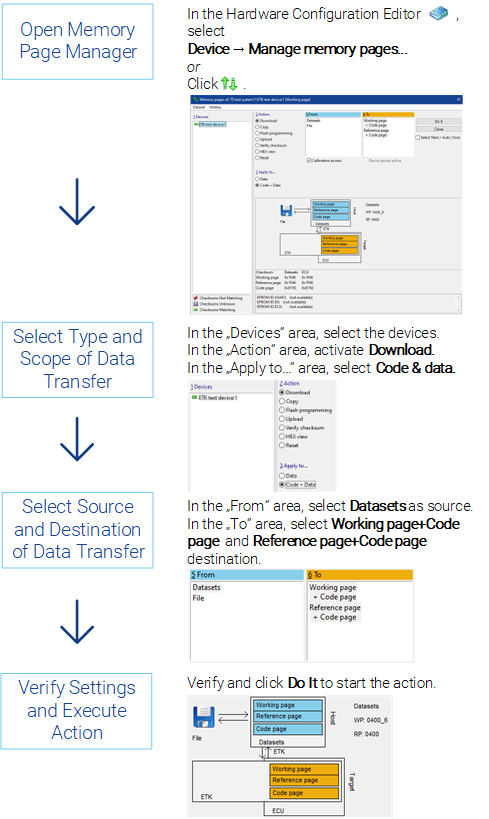
INCA provides the Memory Page Manager to manage different datasets (working and reference datasets). This is a versatile tool which you can use to copy memory contents in any direction. For example, it allows you to read data versions into and from the control unit or copy data from the working data version to the reference data version or vice versa, save working datasets or write-protect them as an "intermediate result" and change reference datasets for the current project. The Memory Page Manager is opened automatically if different data versions are detected during the initialization of the control unit. You can call the Memory Page Manager both from the HWC Editor and the Experiment Environment by pressing <Shift> + <F8>.
Step 6: Selecting Measure and Calibration Variables
See also